Amara wireframes
The onboarding and daily experience, step by step. Review what each screen asks, how it behaves, and where it leads.
October 23, 2026 · Amara first · Six onboarding steps and four experience screens
The downloadable document and diagrams are the October 23 baseline. Open the current mobile flow and October 27 meeting context →
 Tap the wireframe to open full size
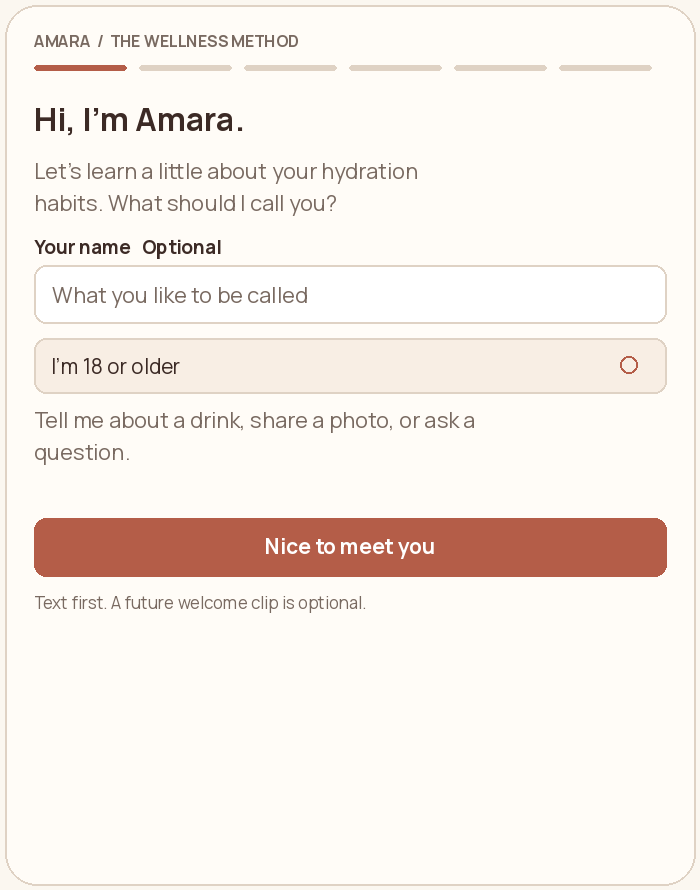
Meet Amara
A warm welcome that leads straight into a short conversation.
What the person does
Ask for an optional name and confirm the adult pilot scope. Continue into the habit questions.
How it behaves
Amara introduces the purpose. A future welcome clip is optional; the onboarding itself stays in text.
 Tap the wireframe to open full size
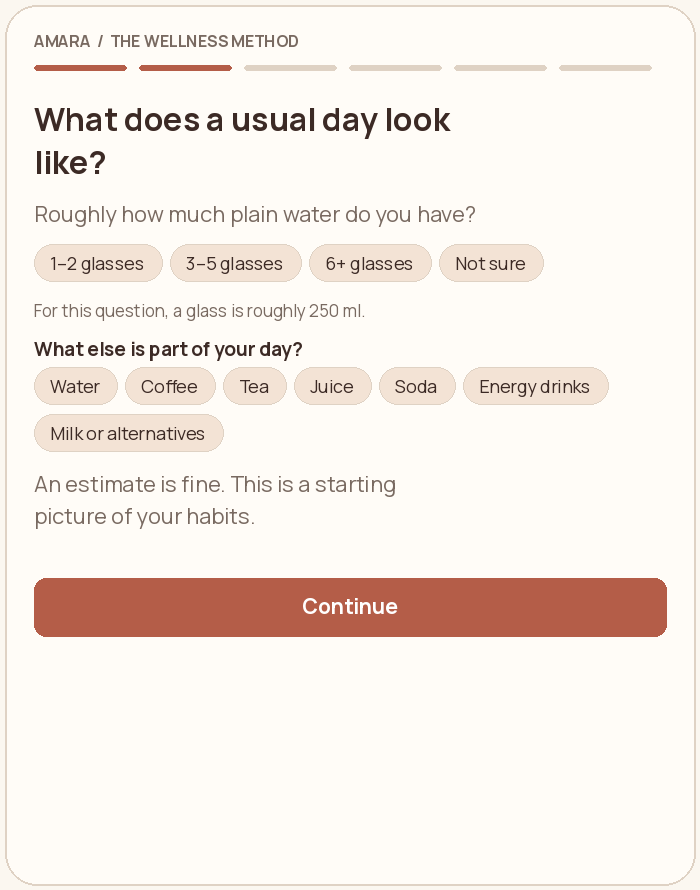
Understand current habits
Build a starting picture of the person’s everyday drinks.
What the person does
Choose a rough plain-water amount, including “Not sure,” then select other drinks that feature in the day.
How it behaves
Answers describe usual habits. They do not count as today’s confirmed intake or establish a hydration diagnosis.
 Tap the wireframe to open full size
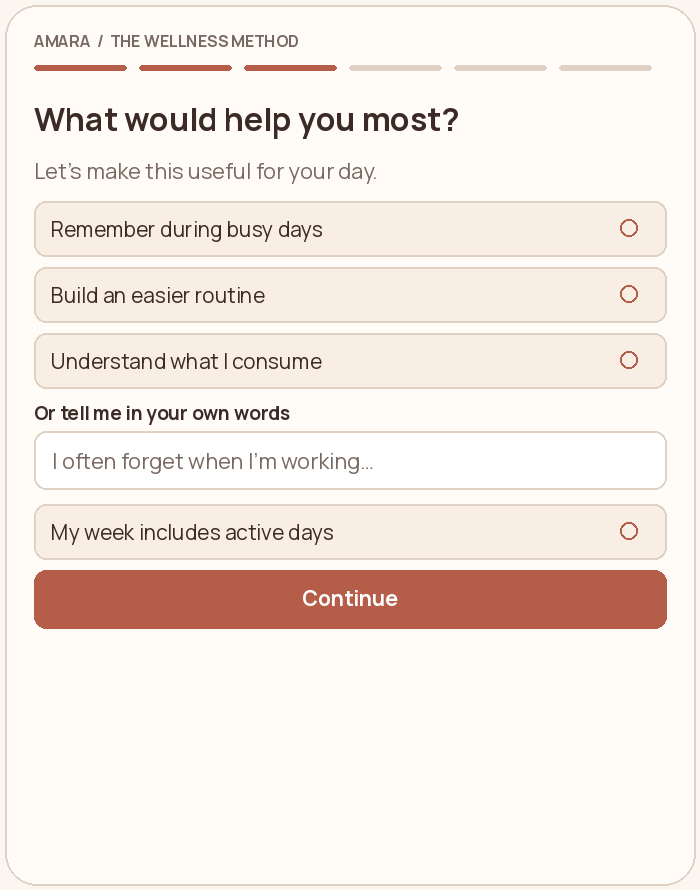
Choose a useful focus
Let the person say what would make this experience useful.
What the person does
Choose one or more: remembering during busy days, building a routine, and understanding intake. Add free text alongside the selections; active days are optional.
How it behaves
Use the chosen focus to shape Amara’s first response and relevant learning suggestions.
 Tap the wireframe to open full size
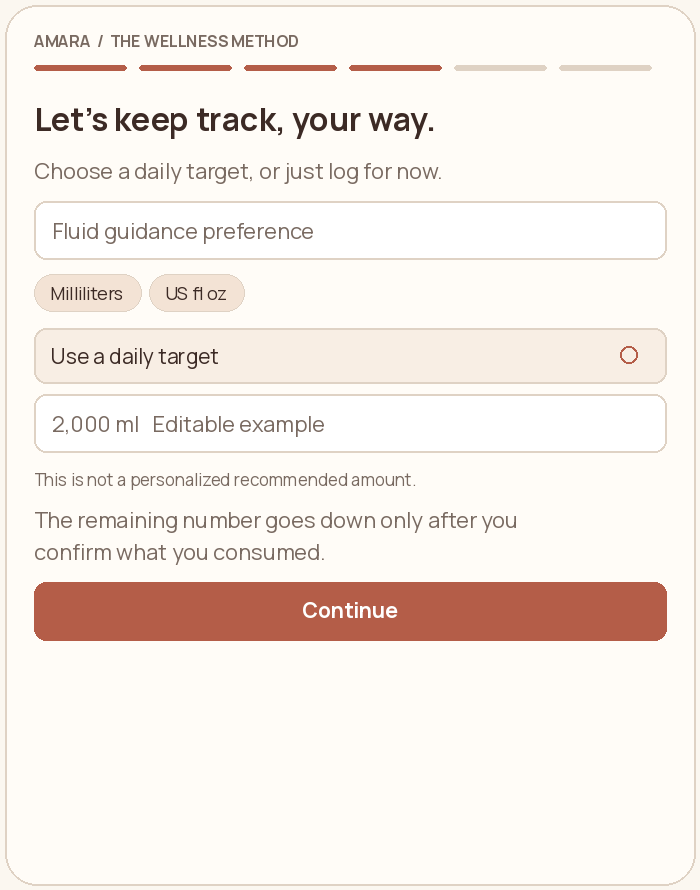
Agree on fluid tracking
Explain the tracker and put its target in the person’s control.
What the person does
Choose ml or US fluid ounces. Keep, edit, or turn off the clearly labeled example target.
How it behaves
The remaining amount goes down after a confirmed intake. Without a target, show the amount logged. Individual fluid guidance keeps drink invitations off.
 Tap the wireframe to open full size
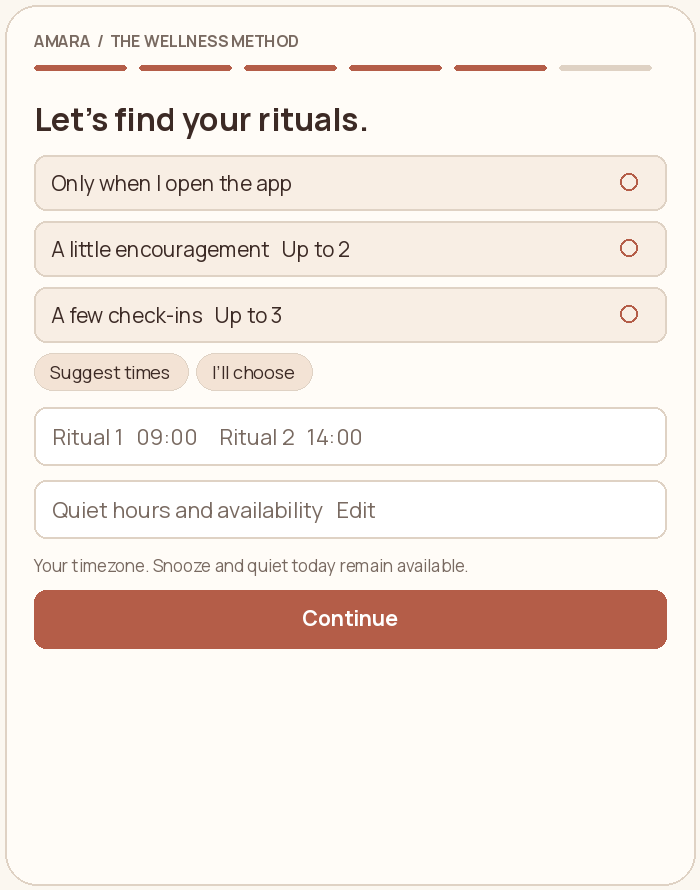
Set rituals together
Agree on when Amara is welcome to check in.
What the person does
Choose no proactive check-ins, up to two, or up to three. Use “Choose for me” to review suggested times or choose specific moments. Quiet hours and availability are expandable.
How it behaves
Keep ritual times distinct and outside quiet hours. Offer snooze, quiet today, and off. Device delivery is a production connection.
 Tap the wireframe to open full size
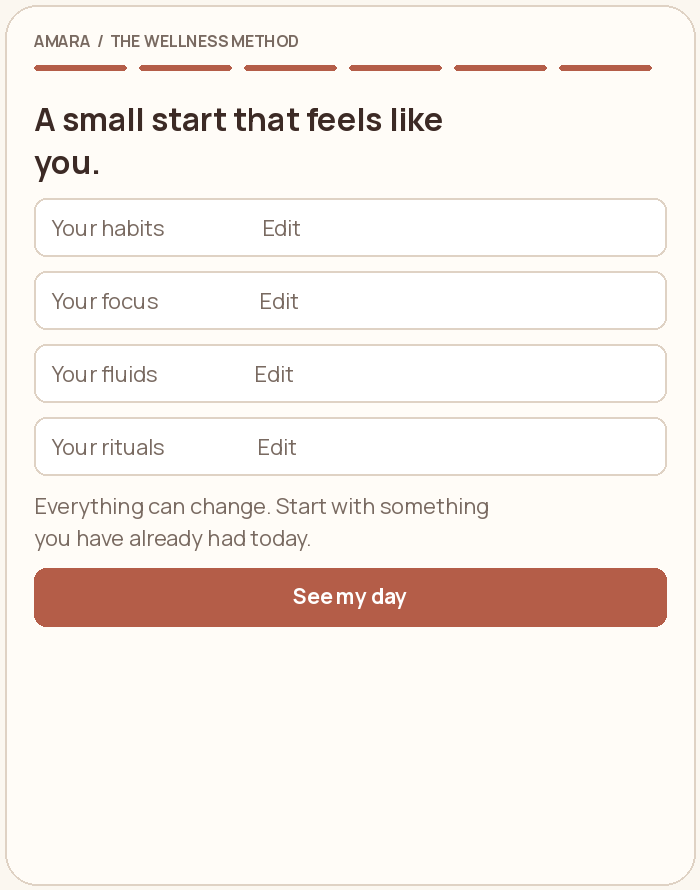
Review and begin
Confirm a simple starting plan before entering the daily experience.
What the person does
Review habits, focus, fluid tracking, and rituals. Edit any section, then choose “See my day.”
How it behaves
Back navigation preserves the selected answers. Completing onboarding never counts as drinking or completing a daily action.
 Tap the wireframe to open full size
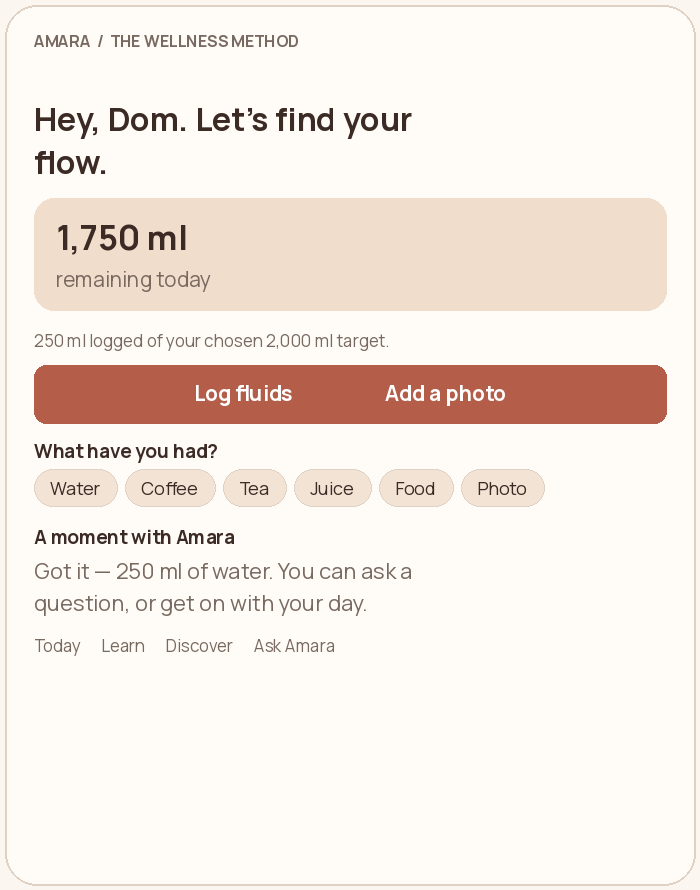
The daily home
Make the fluid tracker the focal point people return to.
What the person does
See remaining fluids, log a drink or food, add a photo, review the log, or ask Amara a question.
How it behaves
Amara acknowledges a confirmed action with a short response. Conversation is available around the task without requiring an ongoing chat.
 Tap the wireframe to open full size
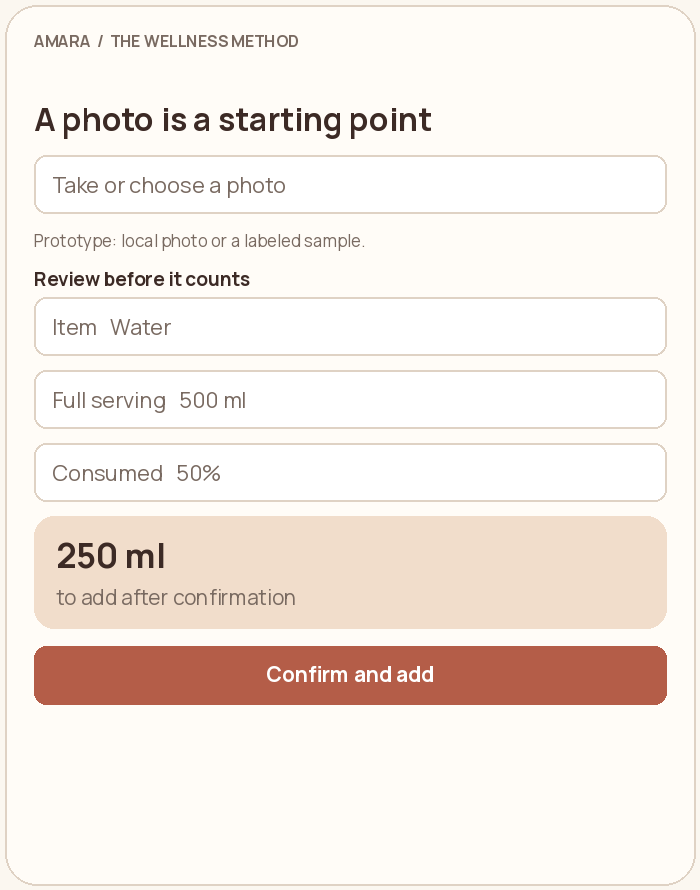
Review a photo entry
Make photos an optional starting point for a fluid log.
What the person does
Take or choose a photo, check the item and serving size, confirm the portion consumed, then add it.
How it behaves
The current prototype uses local photos and labeled examples. Live computer vision still needs to be connected. Nothing counts until the person confirms.
 Tap the wireframe to open full size
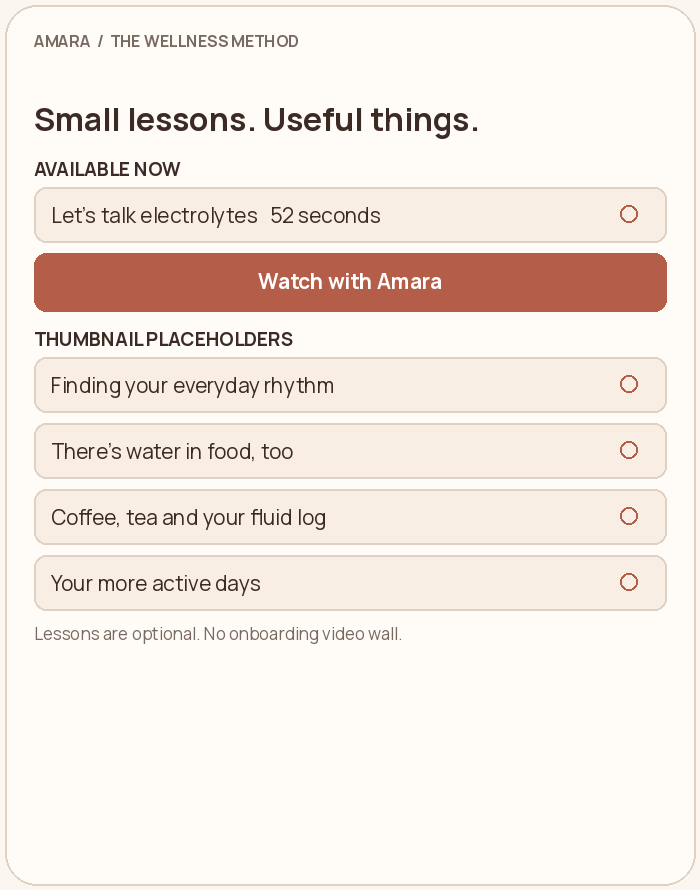
Learn with Amara
Keep useful educational content available without an onboarding video wall.
What the person does
Play the actual electrolyte introduction. Browse explicit thumbnail placeholders for upcoming lessons.
How it behaves
The 52-second supplied video is available. Future lessons cover everyday rhythm, water in food, coffee and tea, and active days.
 Tap the wireframe to open full size
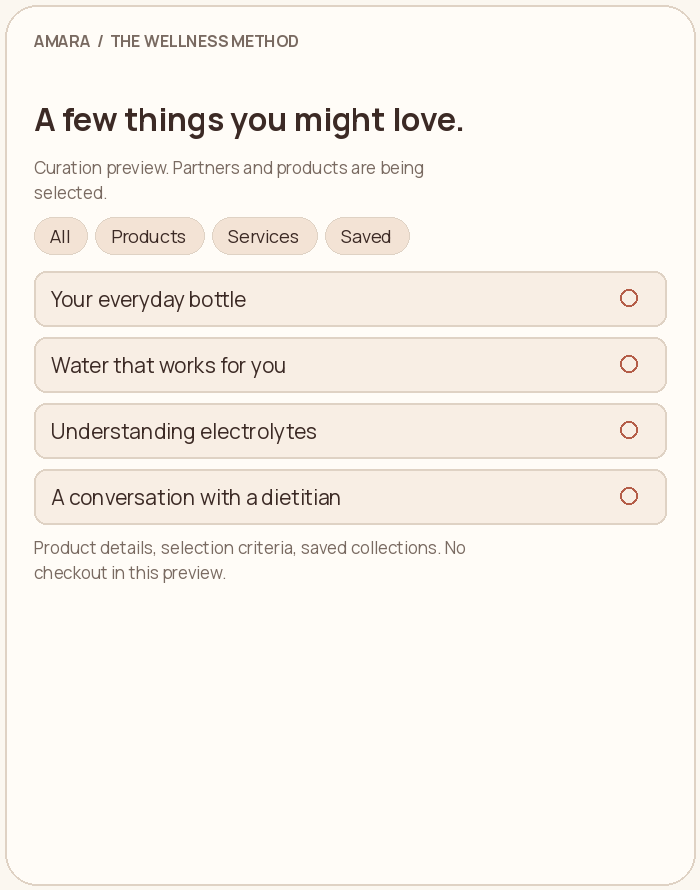
Discover curated collections
Show considered products and services around the companion.
What the person does
Filter Products and Services, explore collection details, and save collections for later.
How it behaves
This is a curation preview. Specific partners, products, prices, checkout, and bookings are not connected. Luna will later have her own learning and collections.
From wireframes to the app
Zack reviews the companion experience and visual direction. Dom and Alan review content. Greg connects the approved flow to live chat, durable records, photo estimation, and notification delivery. The full document also includes the data approach and acceptance checks.
Review the team handoff